четверг, 7 ноября 2019 г.

Ссылки в Windows, символьные и не только


    Предыстория


    Сразу оговорюсь, что под ссылками в Windows я понимаю ссылки в NTFS. В FAT механизмов ссылок, насколько мне известно, предусмотрено не было.

    Ядро Windows поддерживает следующие виды ссылок:
    • Hard Links — жёсткие ссылки, как в *nix. Доступны начиная с Windows NT4.
    • Junction Points — аналог символических ссылок. Доступен начиная с Windows 2000 (NTFS 5).
    • Symbolic Links — символьные ссылки. Доступны начиная с Windows Vista.
    Если вы никогда не имели дела с символическими и жёсткими ссылками, но хотели бы узнать о них, советую прочитать отрывок из документации файлового менеджера FAR, спасибо хабрачеловеку allemeine. Там говорится только о Hard Links и Junction Points, но этого вполне достаточно. Symbolic Links действуют так же, как и Junction Points, с той разницей, что могут указывать на файлы (и реализованы в Windows по-другому).

    Hard Links можно создавать только на файлы, Junction Points — только на директории, Symbolic Links — на файлы и директории. В дальнейшем под «жёсткими ссылками» подразумеваются Hard Links, под «символьными» — Junction Points и Symbolic Links.

    Жёсткие ссылки действительны в пределах одного раздела, символьные — могут пересекать границы разделов. В связи с этим символьные ссылки могут поломаться, если структуру разделов поменять.

    Не со всем, что поддерживается ядром, умеет нормально работать эксплорер. Будьте осторожны при использовании Junction Points в версиях Windows до Vista. При удалении Junction Point эксплорер может залезть внутрь директории, на которую ссылается Junction Point и поудалять там всё, а затем удалить Junction Point, хотя должен лишь удалить ссылку. Наверняка могут возникнуть проблемы и при перемещении или копировании Junction Point'ов.

    Мне неизвестно, нормально ли в версиях Windows до Vista относятся к Junction Points стандартные утилиты типа rmdir.

    Дополнительные материалы по теме


    Отмечу англоязычную статью, в которой описаны нюансы использования ссылок и некоторые программы, позволяющие с ними работать. Статья устаревшая, так что в ней говорится только о Hard Links и Junction Points (причём на последние в статье нередко ссылаются, как на symbolic links...).

     хорошее описание всех видов ссылок есть ещё в справке по NTFS Links (дополнению для Total Commander, см. ниже).

    Софт


    Теперь можно перейти к рассмотрению программ для работы со ссылками. Да-да, если вы не пользуетесь FAR (см. ниже), вам понадобятся отдельные программы. Все программы, перечисленные ниже, бесплатны.

    Утилиты от Microsoft

    Windows >= Vista

    В Windows Vista добавили команду mklink для создания символьных и жёстких ссылок

    Windows >= 2000

    fsutil hardlink create ссылка файл

    Создаёт Hard Link на файл (источник).

    linkd ссылка директория

    Создаёт Junction Point на директорию (источник). Утилита входит в Microsoft Windows Resources Kit.

    Расширения для Explorer

    NTFS Link интегрируется в Explorer и добавляет во всплывающее меню, появляюшееся после перетаскивания правой кнопкой мыши, пункты «Create junction point» и «Create hard link». Кроме того, она перехватывает вызовы Explorer'а, обеспечивая нормальное перемещение/копирование/удаление созданных ссылок.

    NTFS Links (не путать с дополнением для Total Commander, см. ниже) — абсолютно аналогичная программа.
    Я рекомендуюLink Shell Extension — аналогичная программа, обладающая расширенным функционалом и очень подробным описанием.

    NTFS Links — дополнение для Total Commander

    Страница программы  Плагин может запускаться как отдельная программа, вне Total Commander'а.

    FAR

    Консольный файловый менеджер FAR уже давно поддерживает Hard Links и Junction Points «из коробки». Для создания ссылки используйте сочетание клавиш Alt-F6 ;-)

    Junction Link Magic

    Junction Link Magic — программа с графическим интерфейсом для создания, изменения и модификации Junction Points.

    Junction — консольная программа для создания Junction Points

    Junction лучше, чем linkd, тем, что не нужно тащить весь Resource Kit :-)
    .

    вторник, 17 сентября 2019 г.

    Bulk Generating Cloze Deletions for Learning a Language with Anki


    Bulk Generating Cloze Deletions for Learning a Language with Anki

    View original article

    tldr; Looking to learn a language using cloze deletions and Anki? Click here.

    One challenge in learning a second language is the sheer amount of vocabulary required for fluency. For example, one study has shown that the average eight year old knows 8000 words, while the average adult might know somewhere between 20,000 and 35,000 words. University graduates might know upwards of 50,000 words depending on their specialization.

    As an adult learning a second language, exposure to a lot of different words in their context is one of the best ways to learn vocabulary. A common test for learning words in context is called a cloze test.

    "A cloze test (also cloze deletion test) is an exercise, test, or assessment consisting of a portion of text with certain words removed (cloze text), where the participant is asked to replace the missing words. Cloze tests require the ability to understand context and vocabulary in order to identify the correct words or type of words that belong in the deleted passages of a text. This exercise is commonly administered for the assessment of native and second language learning and instruction."

    Wikipedia

    For example, here is a cloze test from the previously linked Wikipedia article.

    Today, I went to the ________ and bought some milk and eggs. I knew it was going to rain, but I forgot to take my ________, and ended up getting wet on the way.

    The interesting thing about cloze tests is that they force you to understand both vocabulary and the context where it is used. In the previous example, the first blank is preceded by the word the, and therefore must be followed by a noun, adjective, or adverb. However, a conjunction follows the blank; the sentence would not be grammatically correct if anything other than a noun were in the blank. Correctly completing the test forces the learner to understand both vocabulary and grammatical rules of vocabulary usage. This makes cloze tests ideal for learning and testing a second language.

    I use Anki — a program that helps make remembering things as easy as possible — to automate how frequently I complete cloze tests. Because Anki is a lot more efficient than traditional study methods, you can greatly decrease your time spent studying to learn vocabulary. Unfortunately, Anki requires you to create your own cloze tests, which can be a tedious and time consuming process. Being a software engineer, I began looking at how to automate the process of creating cloze tests for Anki and came up with an automatic method using publicly available data.

    The rest of this article describes the process I used for automatically creating cloze tests for import into Anki, followed by links to download pre-packaged Anki decks for learning French as an English speaker created using this method..

    Raw Sentences

    The first step is to collect a lot of sentences in your target language. Ideally, sentences would have a translation in your native language to help understand any contextual clues for completing the cloze test. The website Tatoeba provides a collection of user generated sentences and translations, which makes an ideal data set for sentences. All data is available for download under a Creative Commons Attribution 2.0 license (CC-BY 2.0) as a set of simple tab separated files. The files come in two formats: first, a list of all sentences and the language they are written in, and second, a list of links between the sentences that shows which sentences are translations of each other.

    The sentences dataset looks like the following, where the first number is the sentence identifier, followed by the language, followed by the text.

    107	deu	Ich kann mich nur fragen, ob es für alle anderen dasselbe ist.  1115	fra	Lorsqu'il a demandé qui avait cassé la fenêtre, tous les garçons ont pris un air innocent.  6557647	eng	I sing of arms and the man, made a fugitive by fate, who first came from the coasts of Troy, to Italy and the Lavinian shores.

    The links dataset provides a simple mapping between sentence numbers, showing which sentences are translations of each other.

    1	77  1	1276  1	2481  1	5350  1	5972  1	180624  1	344899  1	345549  1	380381  1	387119

    Frequency Lists

    The sentences from Tatoeba provide a great starting point for generating cloze deletions. The question still remains, which word to use for the cloze? That is, which word will be the blank in the fill in the blank problem?

    Not all words are created equal, some are so common that they are used in almost every sentence and are therefore not that interesting to learn, others are used so infrequently that they would not be useful for everyday speech. In the middle are the 20,000 or so words that are used regularly enough that they can provide a basis for fluency in a second language.

    A sorting of words into the frequency with which they appear in a corpus of language is called a frequency list. Wiktionary provides a list of frequency lists available in many languages. I used a premade list made available under an MIT license on Github. This list tracks the 50,000 most frequently used words in TV and movie subtitles maintained by the OpenSubtitles project.

    I chose the cloze deletion to test using the same method used by clozemaster.

    The cloze deletion to test, or the blank in the sentence, is the least common word in the sentence within the [5]0,000 … most common words in the language. In other words, for a given sentence all the words in the sentence are checked against the top [5]0,000 words in a fequency list for that language. The least common word is then used as the cloze test. In this way the vocab learned via clozemaster is the most difficult of the most common.

    Generating the Cloze Tests

    Using the original sentences with translations, and a frequency list, I created a set of cloze deletions using a Python script.

    Finding target and native language sentences

    The first step was to extract out the sentences from Tatoeba that are available in my native language and target language. I used a simple grep expression to create two files from the original sentence data.

    grep -E '\teng\t' sentences.csv > native_sentences.csv  grep -E '\tfra\t' sentences.csv > target_sentences.csv

    Choosing the cloze word

    The following function takes a sentence and a frequency list (as a map), and chooses a cloze word. I skipped any words that were capitalized and removed any words that were two characters or shorter. Any words left over were checked against the frequency list and the minimum frequency word was used for the cloze. If there were no words in the sentence that had frequency data attached, a random word was chosen.

    def find_cloze(sentence, frequency_list):      """      Return the least frequently used word in the sentence by.      If no word is found in the frequency list, return a random word.      If no acceptable word is available (even random), return None      """      # Remove punctuation      translator = str.maketrans(string.punctuation, ' '*len(string.punctuation))      sentence = sentence.translate(translator)        max_frequency = 50001  # Frequency list has 50,000 entries      min_frequency = max_frequency        min_word = None      valid_words = []      for word in sentence.split():          if word.isupper() or word.istitle():              continue  # Skip proper nouns          if len(word) <= 2:              continue  # Skip tiny words            valid_words.append(word)            word_frequency = int(frequency_list.get(word.lower(), max_frequency))          if word_frequency < min_frequency:              min_word = word              min_frequency = word_frequency        if min_word:          return min_word      else:          if valid_words:              return random.choice(valid_words)          else:              return None

    Synthesizing speech

    I used Amazon Polly to attach audio samples to the target language. The script randomly chooses a voice in the target language to add a bit of variety to the audio.

    import boto3    polly = boto3.client('polly')    def synthesize_speech(text, filename):      """      Synthesize speech using Amazon polly      """      voices = ['Celine', 'Mathieu', 'Chantal']      voice = random.choice(voices)        response = polly.synthesize_speech(          OutputFormat='mp3',          Text=text,          VoiceId=voice      )        output = os.path.join("./out/", filename)        if "AudioStream" in response:          with closing(response["AudioStream"]) as stream:              with open(output, "wb") as outfile:                  outfile.write(stream.read())

    Generating a CSV for Anki

    Given the algorithm for choosing a cloze word, and a method for synthesizing speech, the last step is to generate a CSV file from the data sets that can be input into Anki. The CSV generation requires a file of french and english sentences, the links file between the translations, and the frequency list. It matches sentences with their translations, chooses a cloze deletion, and synthesizes an audio sample of the sentence.

    def make_index(path, delimiter, value=1):      """      Given a CSV reader, return a map between the first column and the      column specified by value.      """      d = dict()      with open(path, newline='') as f:          reader = csv.reader(f, delimiter=delimiter)          for row in reader:              d[row[0]] = row[value]      return d      def generate(french_sentence_file,               english_sentence_file,               links_file,               frequency_list_file):      # Make index between sentence number and rest of csv      print("Making indexes ...")        french = make_index(french_sentence_file, '\t', value=2)      english = make_index(english_sentence_file, '\t', value=2)      links = make_index(links_file, '\t')        # Make index between word and usage frequency      frequency = make_index(frequency_list_file, ' ')        print("Generating clozes ...")      with open("out.csv", 'w', newline='') as outfile:          writer = csv.writer(outfile, delimiter='\t',                              quotechar='|', quoting=csv.QUOTE_MINIMAL)            # For each French sentence          for fra_number, fra_sentence in french.items():              # Lookup English translation              eng_number = links.get(fra_number)              if not eng_number:                  continue  # If no English translation, skip                eng_sentence = english.get(eng_number)              if not eng_sentence:                  continue  # If no English translation, skip                # Find the cloze word              fra_cloze_word = find_cloze(fra_sentence, frequency)              if not fra_cloze_word:                  continue  # If no cloze word, skip                clozed = fra_sentence.replace(fra_cloze_word,                                            '{{{{c1::{}}}}}'.format(fra_cloze_word)                # Generate audio              audio_filename = 'fra-{}-audio.mp3'.format(fra_number)              if not os.path.isfile(audio_filename):                  synthesize_speech(fra_sentence, audio_filename)                writer.writerow([fra_number,                               clozed,                               eng_number,                               eng_sentence,                               '[sound:{}]'.format(audio_filename)])        print("Done.")

    Importing into Anki

    Given the CSV file and a list of mp3 audio samples, the next step is to import the data into Anki. The audio is imported by copying the files into Anki's collection.media folder. See the Anki manual for more information.

    Once the media files are imported, you can import the CSV file generated by the cloze script into Anki. To import a file, click the File menu and then "Import". For more information, see the Anki manual.

    Downloads

    I used this process to generate French cloze deletions suitable for English speakers learning French. You can download pre-made packages that you can import into Anki to start learning French here.

    See also

    Scrnrcrd. — запись экрана ПК прямо через браузер. Установка не требуется


    Для записи видео с экрана есть несколько бесплатных программ, которые позволяют редактировать картинку, работать со звуком и даже вести трансляцию. Всё это здорово, но порой нужен максимально простой и доступный инструмент без лишних функций. Такой, как Scrnrcrd..
    запись экрана ПК

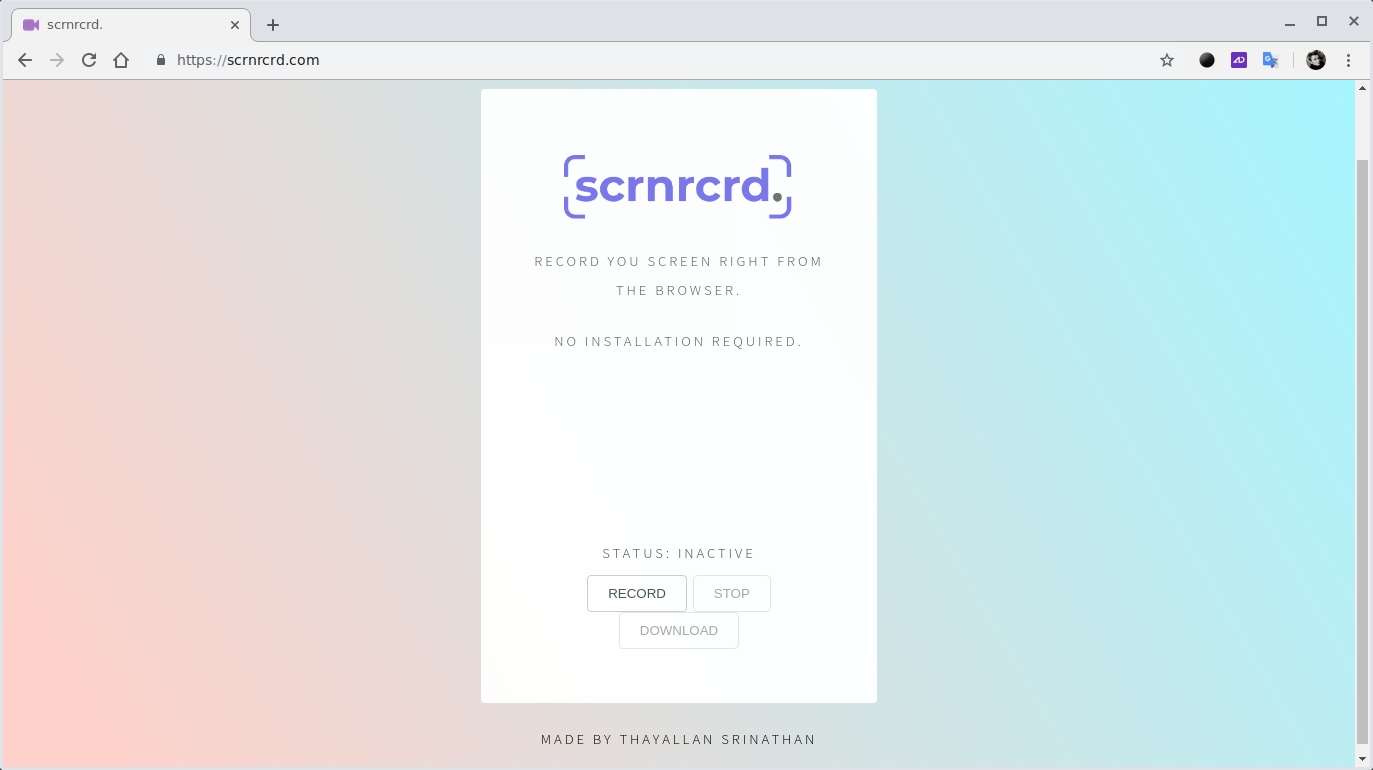
    Этот сервис не нужно скачивать, устанавливать и настраивать — он работает прямо через браузер. Достаточно лишь нажать на кнопку записи (Record) и разрешить Scrnrcrd. доступ к экрану.
    запись экрана ПК через браузер
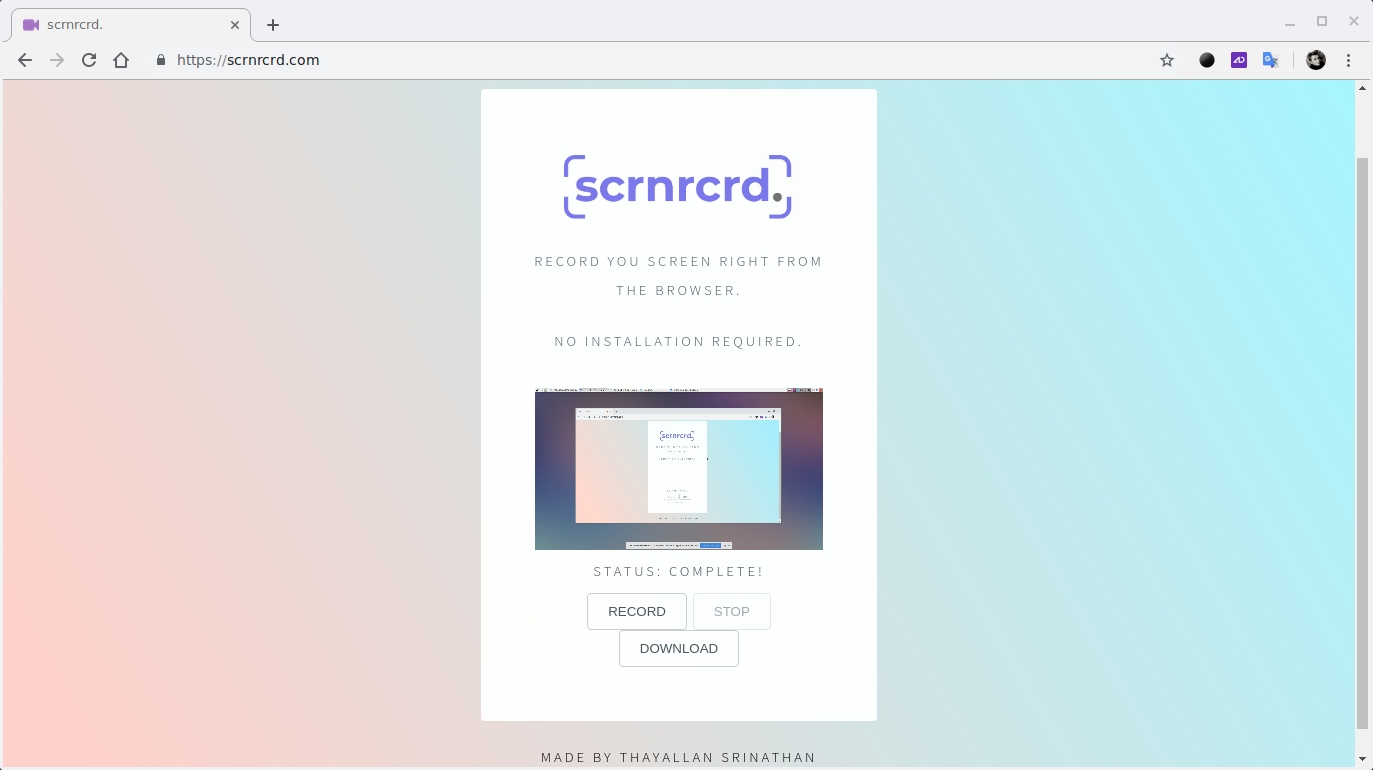
    Далее вы можете свернуть браузер и записывать работу с другими программами и сервисами на ПК. По окончанию нужно лишь вернуться ко вкладке со Scrnrcrd. в браузере и остановить запись (Stop). Готовый ролик можно тут же скачать в формате WEBM.
    Scrnrcrd. доступен совершенно бесплатно.

    Read on Mail — отложенное чтение любых статей прямо в почте

    Отправляете ссылку, а получаете статью целиком в удобном для чтения виде.
    Если среди популярных сервисов отложенного чтения вы свой так и не нашли, обратите внимание на Read on Mail. Это простейший инструмент, который форматирует статью по ссылке и отправляет её вам на почту.
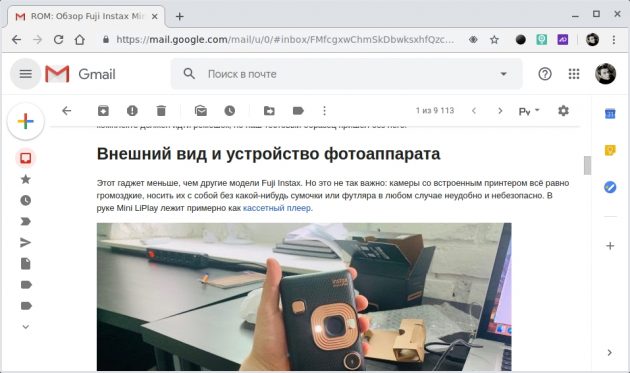
    Статья в удобочитаемом виде будет отображаться прямо в теле письма. Никуда переходить не нужно, регистрация также не потребуется.
    Read on Mail

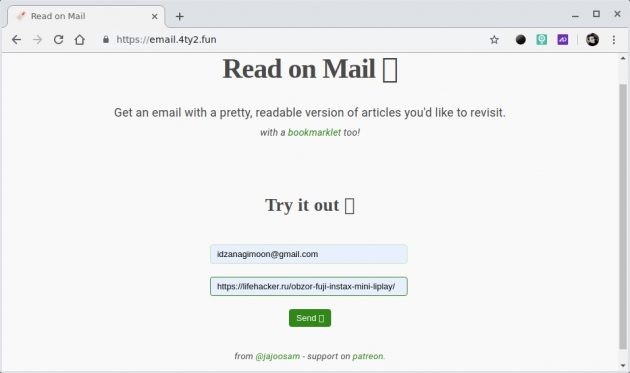
    Чтобы воспользоваться Read on Mail просто перейдите на страницу сервиса и заполните два поля. В первом укажите свой электронный ящик, а во второе вставьте ссылку на статью, которую нужно отправить.
    После нажатия Send на почту придёт текст со всеми картинками, внутренними ссылками, списками и таблицами. Никакой рекламы и отвлекающих визуальных элементов.
    Read on Mail
    Read on Mail отлично подойдёт тем, у кого альтернативные сервисы отложенного чтения быстро захламляются. Здесь же каждая статья будет постоянно напоминать о себе как непрочитанное письмо, чтобы вы точно о ней не забыли.

    Bulk Generating Cloze Deletions for Learning a Language with Anki

    One challenge in learning a second language is the sheer amount of vocabulary required for fluency. For example, one study has shown that the average eight year old knows 8000 words, while the average adult might know somewhere between 20,000 and 35,000 words. University graduates might know upwards of 50,000 words depending on their specialization.


    As an adult learning a second language, exposure to a lot of different words in their context is one of the best ways to learn vocabulary. A common test for learning words in context is called a cloze test.
    “A cloze test (also cloze deletion test) is an exercise, test, or assessment consisting of a portion of text with certain words removed (cloze text), where the participant is asked to replace the missing words. Cloze tests require the ability to understand context and vocabulary in order to identify the correct words or type of words that belong in the deleted passages of a text. This exercise is commonly administered for the assessment of native and second language learning and instruction.”
    — Wikipedia


    For example, here is a cloze test from the previously linked Wikipedia article.
    Today, I went to the ________ and bought some milk and eggs. I knew it was going to rain, but I forgot to take my ________, and ended up getting wet on the way.
    The interesting thing about cloze tests is that they force you to understand both vocabulary and the context where it is used. In the previous example, the first blank is preceded by the word the, and therefore must be followed by a noun, adjective, or adverb. However, a conjunction follows the blank; the sentence would not be grammatically correct if anything other than a noun were in the blank. Correctly completing the test forces the learner to understand both vocabulary and grammatical rules of vocabulary usage. This makes cloze tests ideal for learning and testing a second language.
    I use Anki — a program that helps make remembering things as easy as possible — to automate how frequently I complete cloze tests. Because Anki is a lot more efficient than traditional study methods, you can greatly decrease your time spent studying to learn vocabulary. Unfortunately, Anki requires you to create your own cloze tests, which can be a tedious and time consuming process. Being a software engineer, I began looking at how to automate the process of creating cloze tests for Anki and came up with an automatic method using publicly available data.
    The rest of this article describes the process I used for automatically creating cloze tests for import into Anki, followed by links to download pre-packaged Anki decks for learning French as an English speaker created using this method..

    Raw Sentences

    The first step is to collect a lot of sentences in your target language. Ideally, sentences would have a translation in your native language to help understand any contextual clues for completing the cloze test. The website Tatoeba provides a collection of user generated sentences and translations, which makes an ideal data set for sentences. All data is available for download under a Creative Commons Attribution 2.0 license (CC-BY 2.0) as a set of simple tab separated files. The files come in two formats: first, a list of all sentences and the language they are written in, and second, a list of links between the sentences that shows which sentences are translations of each other.
    The sentences dataset looks like the following, where the first number is the sentence identifier, followed by the language, followed by the text.
    107 deu Ich kann mich nur fragen, ob es für alle anderen dasselbe ist.
    1115 fra Lorsqu'il a demandé qui avait cassé la fenêtre, tous les garçons ont pris un air innocent.
    6557647 eng I sing of arms and the man, made a fugitive by fate, who first came from the coasts of Troy, to Italy and the Lavinian shores.
    The links dataset provides a simple mapping between sentence numbers, showing which sentences are translations of each other.
    1 77
    1 1276
    1 2481
    1 5350
    1 5972
    1 180624
    1 344899
    1 345549
    1 380381
    1 387119

    Frequency Lists

    The sentences from Tatoeba provide a great starting point for generating cloze deletions. The question still remains, which word to use for the cloze? That is, which word will be the blank in the fill in the blank problem?
    Not all words are created equal, some are so common that they are used in almost every sentence and are therefore not that interesting to learn, others are used so infrequently that they would not be useful for everyday speech. In the middle are the 20,000 or so words that are used regularly enough that they can provide a basis for fluency in a second language.
    A sorting of words into the frequency with which they appear in a corpus of language is called a frequency listWiktionary provides a list of frequency lists available in many languages. I used a premade list made available under an MIT license on Github. This list tracks the 50,000 most frequently used words in TV and movie subtitles maintained by the OpenSubtitles project.
    I chose the cloze deletion to test using the same method used by clozemaster.
    The cloze deletion to test, or the blank in the sentence, is the least common word in the sentence within the [5]0,000 … most common words in the language. In other words, for a given sentence all the words in the sentence are checked against the top [5]0,000 words in a fequency list for that language. The least common word is then used as the cloze test. In this way the vocab learned via clozemaster is the most difficult of the most common.

    Generating the Cloze Tests

    Using the original sentences with translations, and a frequency list, I created a set of cloze deletions using a Python script.

    Finding target and native language sentences

    The first step was to extract out the sentences from Tatoeba that are available in my native language and target language. I used a simple grep expression to create two files from the original sentence data.
    grep -E '\teng\t' sentences.csv > native_sentences.csv
    grep -E '\tfra\t' sentences.csv > target_sentences.csv

    Choosing the cloze word

    The following function takes a sentence and a frequency list (as a map), and chooses a cloze word. I skipped any words that were capitalized and removed any words that were two characters or shorter. Any words left over were checked against the frequency list and the minimum frequency word was used for the cloze. If there were no words in the sentence that had frequency data attached, a random word was chosen.
    def find_cloze(sentence, frequency_list):
        """
        Return the least frequently used word in the sentence by.
        If no word is found in the frequency list, return a random word.
        If no acceptable word is available (even random), return None
        """
        # Remove punctuation
        translator = str.maketrans(string.punctuation, ' '*len(string.punctuation))
        sentence = sentence.translate(translator)
    
        max_frequency = 50001  # Frequency list has 50,000 entries
        min_frequency = max_frequency
    
        min_word = None
        valid_words = []
        for word in sentence.split():
            if word.isupper() or word.istitle():
                continue  # Skip proper nouns
            if len(word) <= 2:
                continue  # Skip tiny words
    
            valid_words.append(word)
    
            word_frequency = int(frequency_list.get(word.lower(), max_frequency))
            if word_frequency < min_frequency:
                min_word = word
                min_frequency = word_frequency
    
        if min_word:
            return min_word
        else:
            if valid_words:
                return random.choice(valid_words)
            else:
                return None

    Synthesizing speech

    I used Amazon Polly to attach audio samples to the target language. The script randomly chooses a voice in the target language to add a bit of variety to the audio.
    import boto3
    
    polly = boto3.client('polly')
    
    def synthesize_speech(text, filename):
        """
        Synthesize speech using Amazon polly
        """
        voices = ['Celine', 'Mathieu', 'Chantal']
        voice = random.choice(voices)
    
        response = polly.synthesize_speech(
            OutputFormat='mp3',
            Text=text,
            VoiceId=voice
        )
    
        output = os.path.join("./out/", filename)
    
        if "AudioStream" in response:
            with closing(response["AudioStream"]) as stream:
                with open(output, "wb") as outfile:
                    outfile.write(stream.read())

    Generating a CSV for Anki

    Given the algorithm for choosing a cloze word, and a method for synthesizing speech, the last step is to generate a CSV file from the data sets that can be input into Anki. The CSV generation requires a file of french and english sentences, the links file between the translations, and the frequency list. It matches sentences with their translations, chooses a cloze deletion, and synthesizes an audio sample of the sentence.
    def make_index(path, delimiter, value=1):
        """
        Given a CSV reader, return a map between the first column and the
        column specified by value.
        """
        d = dict()
        with open(path, newline='') as f:
            reader = csv.reader(f, delimiter=delimiter)
            for row in reader:
                d[row[0]] = row[value]
        return d
    
    
    def generate(french_sentence_file,
                 english_sentence_file,
                 links_file,
                 frequency_list_file):
        # Make index between sentence number and rest of csv
        print("Making indexes ...")
    
        french = make_index(french_sentence_file, '\t', value=2)
        english = make_index(english_sentence_file, '\t', value=2)
        links = make_index(links_file, '\t')
    
        # Make index between word and usage frequency
        frequency = make_index(frequency_list_file, ' ')
    
        print("Generating clozes ...")
        with open("out.csv", 'w', newline='') as outfile:
            writer = csv.writer(outfile, delimiter='\t',
                                quotechar='|', quoting=csv.QUOTE_MINIMAL)
    
            # For each French sentence
            for fra_number, fra_sentence in french.items():
                # Lookup English translation
                eng_number = links.get(fra_number)
                if not eng_number:
                    continue  # If no English translation, skip
    
                eng_sentence = english.get(eng_number)
                if not eng_sentence:
                    continue  # If no English translation, skip
    
                # Find the cloze word
                fra_cloze_word = find_cloze(fra_sentence, frequency)
                if not fra_cloze_word:
                    continue  # If no cloze word, skip
    
                clozed = fra_sentence.replace(fra_cloze_word,
                                              '{{{{c1::{}}}}}'.format(fra_cloze_word)
    
                # Generate audio
                audio_filename = 'fra-{}-audio.mp3'.format(fra_number)
                if not os.path.isfile(audio_filename):
                    synthesize_speech(fra_sentence, audio_filename)
    
                writer.writerow([fra_number,
                                 clozed,
                                 eng_number,
                                 eng_sentence,
                                 '[sound:{}]'.format(audio_filename)])
    
        print("Done.")

    Importing into Anki

    Given the CSV file and a list of mp3 audio samples, the next step is to import the data into Anki. The audio is imported by copying the files into Anki’s collection.media folder. See the Anki manual for more information.
    Once the media files are imported, you can import the CSV file generated by the cloze script into Anki. To import a file, click the File menu and then “Import”. For more information, see the Anki manual.

    Downloads

    I used this process to generate French cloze deletions suitable for English speakers learning French. You can download pre-made packages that you can import into Anki to start learning French here.